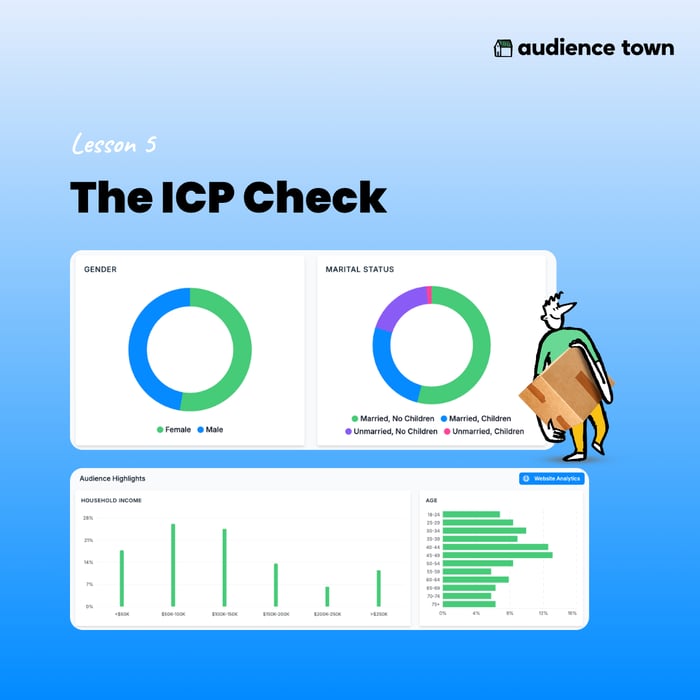
f the ICP check is the workflow that matters most, the Live Table is the view where you'll actually run it.
You'll find it inside any community, under the Website tab.
Navigation path — Community → Website → Live Table
Here's what makes it different from anything you've used.
You get your usual metrics. Users, sessions, session length, bounce rate. Standard stuff. But each row is also enriched with attributes about the households behind those numbers. Household income. Credit score. Home value. Children in the home.
The dimensions are flexible. Default is referrer, things like google.com, instagram.com, direct. You can switch to channel, like paid search, organic, paid social. You can group by UTM source, by campaign, by landing page. You can stack two dimensions, like channel and referrer together. Slice and dice however you want.
Once you've picked your dimension, here's the part that matters.
Find the one attribute that defines a qualified visitor for this community. For a million-dollar product line, that's probably household income. For a first-time buyer community, maybe credit score or ownership status. For a 55-plus community, age.
Pin that column.
Now scroll through your channels with that qualification signal always in view. Which ones bring the right buyers? Which ones don't?
You'll often find a channel bringing a lot of traffic but the wrong people, and a smaller channel quietly bringing exactly the right ones. That's when Audience Town earns its keep.
This isn't a place to admire your numbers. It's a place to work. Pull it open with a question, get an answer, move on.
Next, we'll talk about how to turn what you see in the Live Table into action.
.png?width=250&height=27&name=AT%20-%20LOGO%20-%20BLACK%20-With%20White%20House%20(2).png "audience-town")
.png?width=1080&height=1080&name=Lessson%205%20(1).png)